

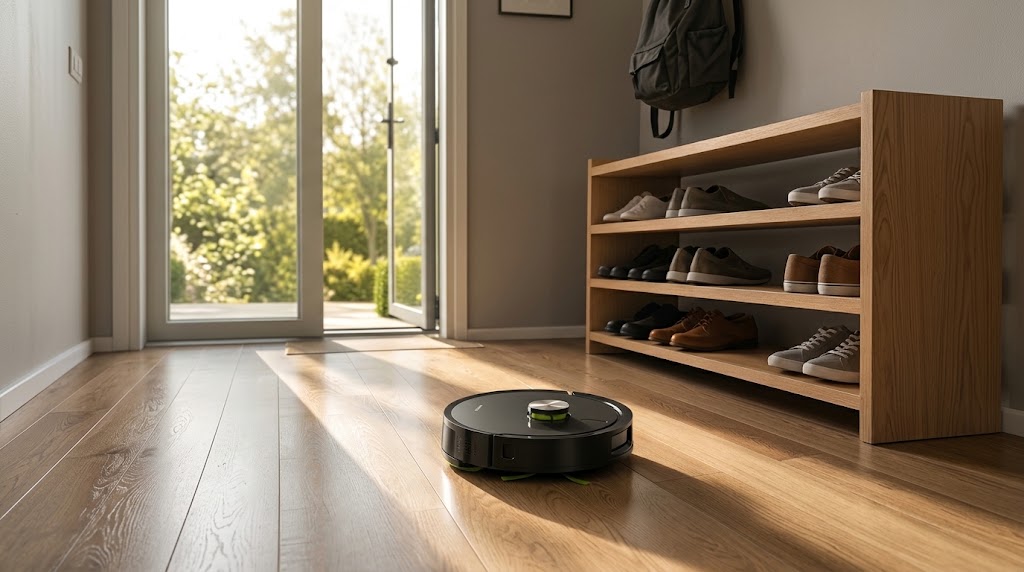
Unboxing a brand-new robot vacuum is always exciting. The MONSGA MR7 Pro brings powerful vacuuming, automated mopping, and self-emptying convenience straight to your living room. However, to truly enjoy a hands-off cleaning experience and keep your floors spotless every day, a few expert tips can make all the difference.
Whether you just set up your MR7 Pro or want to optimize its daily performance, this complete guide covers environment prep, smart app features, mopping best practices, and essential maintenance routines.
1. Pre-Cleaning Setup: Prep Your Home for Success
Before sending your MR7 Pro on its first mission, spending two minutes preparing your space ensures smooth navigation and prevents unexpected pauses.
-
Clear Floor Cables & Loose Items: Tidy up stray charging cords, power strips, clothing, and thin carpet tassels. Removing these obstacles prevents tangling and protects both your belongings and the robot's brushes.
-
Ideal Base Station Placement: Place the Dust Collector against a solid wall on a hard, level floor (avoid placing it on carpets). Leave at least 0.6 meters (2 feet) of clearance on both sides and 1.5 meters (5 feet) directly in front so the robot can dock effortlessly.
-
The First Run (Quick Mapping): During its initial run, the MR7 Pro initiates a Quick Mapping session (taking about 10–20 minutes). It navigates through open areas with standard suction and no water flow to map your floor plan accurately. Let it finish without interruption for the best mapping results.
2. Smart Controls: Tailor Your Cleaning to Every Room
Pairing your MR7 Pro with the Smart Life App unlocks precise control over every cleaning task:
-
Adjusting Suction & Water Flow: Choose from three suction levels (Eco, Standard, Max) and three water output levels (Low, Middle, High) based on your floor type. Hardwood floors benefit from low water flow, while tiled kitchens can handle higher moisture.
-
Carpet Boost Technology: Enable Carpet Boost in the app or via remote control. When the MR7 Pro detects a carpet, it automatically ramps up suction power for deep fiber cleaning.
-
Spot Cleaning Mode: Spilled coffee grounds or crumbs near the breakfast counter? Use Spot Clean to have the robot target a dedicated 1.5m × 1.5m area centered around its current location.
Pro-Tip: Night Cleaning & Do-Not-Disturb (DND) Mode
If you prefer running your vacuum overnight, enable Do-Not-Disturb (DND) mode in the app. This silences voice broadcasts and turns off status indicator lights so your sleep remains undisturbed.
3. Mopping Best Practices: Streak-Free & Safe Cleaning
The MR7 Pro is built for versatile vacuuming and mopping. Follow these tips for optimal wet-cleaning results:
-
Pre-Moistened Pad: Dampen and wring out the mop cloth before attaching it to the mop holder. This helps water distribute evenly right from the start.
-
Clean Water Only: Fill the water tank with clean tap water. Avoid adding harsh chemicals or thick floor detergents into the tank, as they can clog internal pumps and valves.
-
Avoid Standing Water Areas: Do not operate the robot in wet zones like standing bathroom puddles to protect the internal suction fan.
4. Routine Maintenance: Keep Peak Suction & Performance
Regular maintenance extends the lifespan of your MR7 Pro and keeps its cleaning power at peak levels. Here is a quick breakdown of recommended care frequencies:
| Component | Recommended Care Frequency | Action Required |
| Dustbin & HEPA Filter | Weekly |
Empty dustbin; gently tap the HEPA filter to remove fine dust. Do not wash the filter with water. |
| Main Brush & Side Brushes | Every 1–2 Weeks |
Remove wrapped hair and debris using the included cleaning brush tool. |
| Sensors & Charging Contacts | Monthly |
Wipe cliff sensors, LiDAR lens, and base station charging contacts with a soft, dry cloth. |
| Dust Bag (Base Station) | As Needed |
Replace the disposable dust bag when full or when the station indicator signals an alert. |
5. Quick Troubleshooting Tips
-
Robot Not Auto-Emptying? Ensure the dust bag is seated correctly inside the base station rails and the air duct is free of debris. Note that auto-emptying will not trigger if a cleaning cycle is manually canceled early before completion.
-
Wi-Fi Reconnection: The MR7 Pro supports 2.4GHz Wi-Fi networks. If you change your router password, press and hold the Wi-Fi button for 3 seconds to re-enter pairing mode.
Need further assistance? Activate your extended warranty within 30 days of receipt by scanning the QR code in your user manual. For direct support, reach out to our team at service_us@monsga.com (US), service_uk@monsga.com (UK), or service_ca@monsga.com (CA).